
What is AOI?
Areas of Interest are a set of closed-shape lines with directional flow tracking used to measure the paths of customers in a particular space. They are usually constructed around certain departments, aisles or displays, in order to measure a number of time customers spend in that space, how many customers visit it, or how many customers are in that space on average, at specific times.
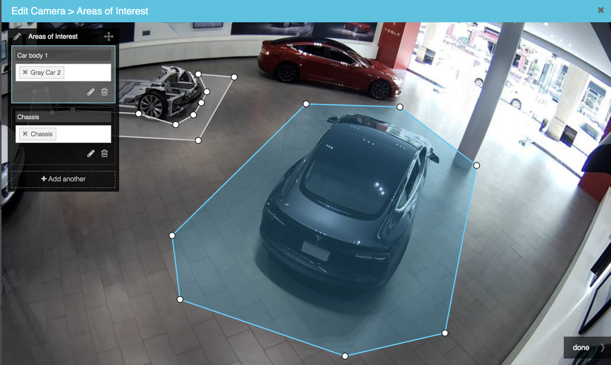
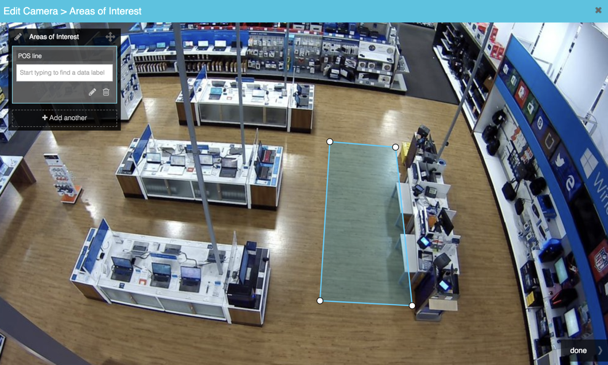
AOI SETTINGS
AOI Settings: How do I get to AOI Settings?
1. Visit Ignite Prism Web Application
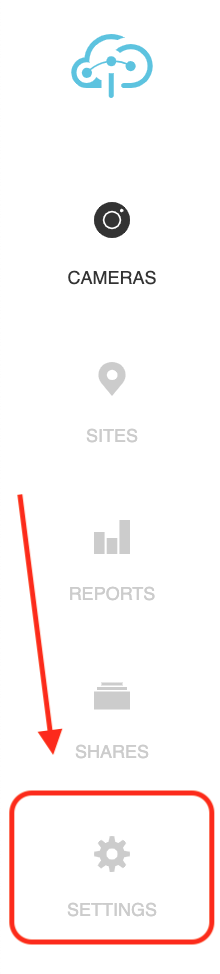
2. Refer to the left sidebar and click “Settings”
3. Inside the “Settings” page click the subcategory “Cameras” button. This button is found under the “Admin” title.
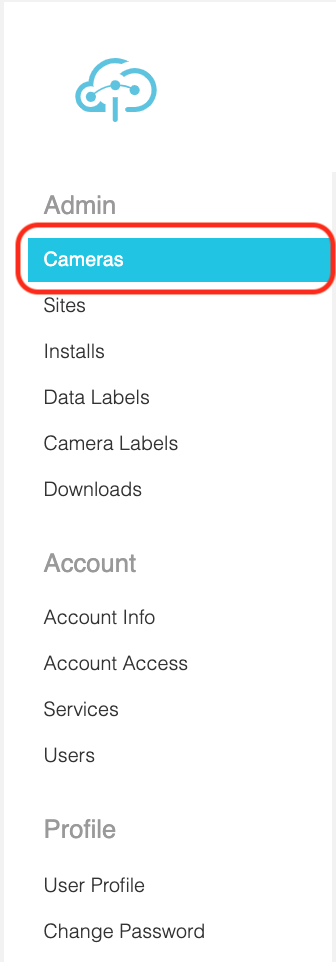
4. When inside the “Cameras” page, locate the desired camera for an AOI and click on it.
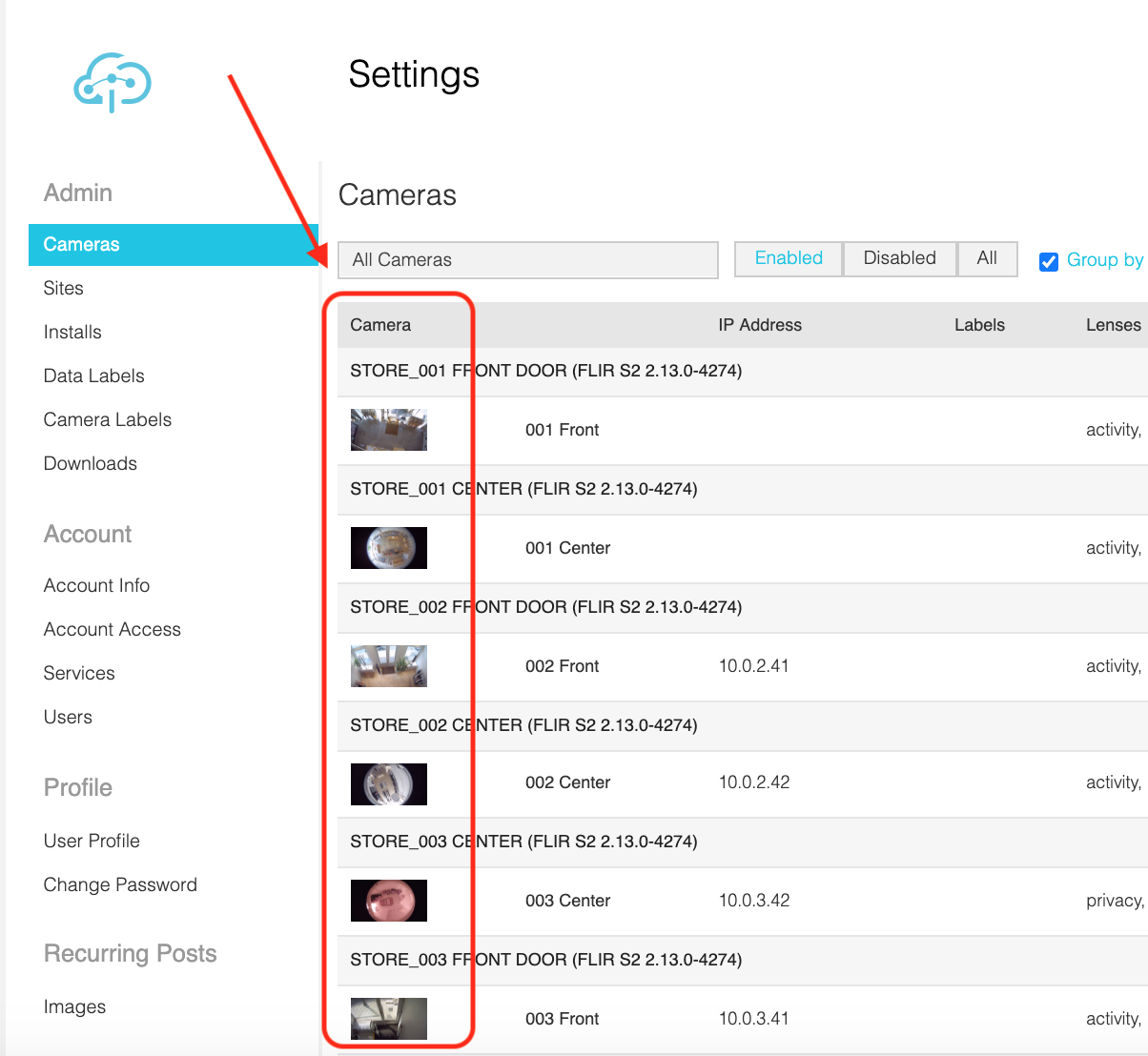
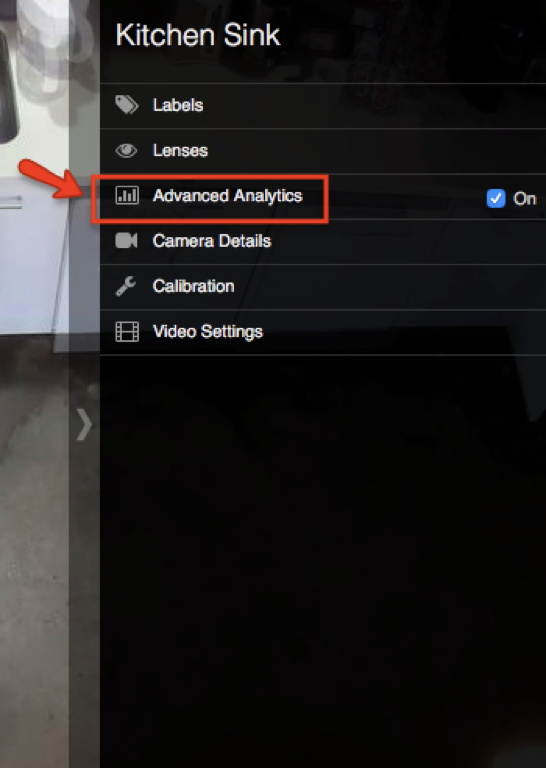
5. After clicking on the desired camera for an AOI, click the “Advanced Analytics” button on the far right of the screen.
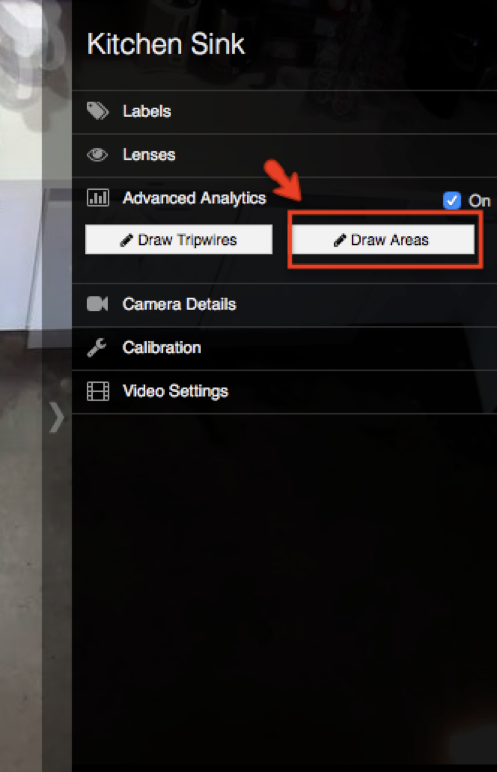
6. Two options should appear after the click. Choose the button that says “Draw Areas” by clicking on it.
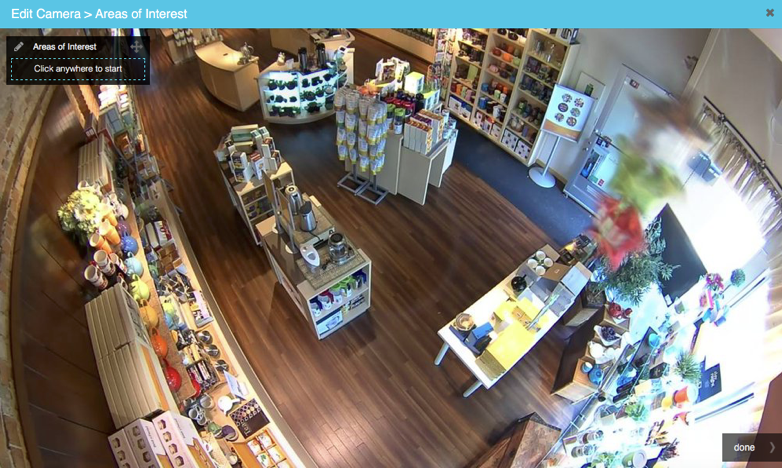
7. After clicking “Draw Areas” you will see the camera’s view. Click anywhere on the screen to begin drawing areas of interest (AOI). Note: once AOI has been drawn the AOI settings will appear.
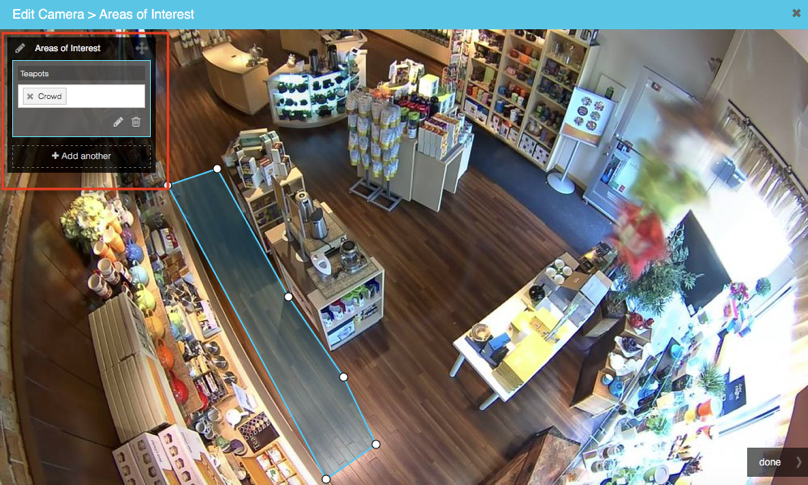
AOI Settings: How do I use AOI Settings?
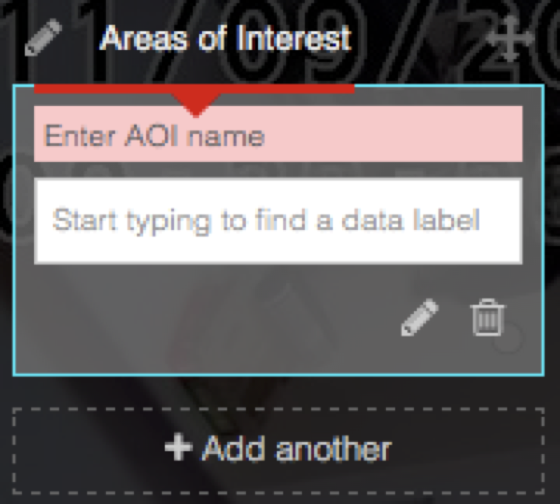
1. Enter a name to label the AOI.
2. Select data labels to view the AOI data on the page: “Sites” then under “Analytics”
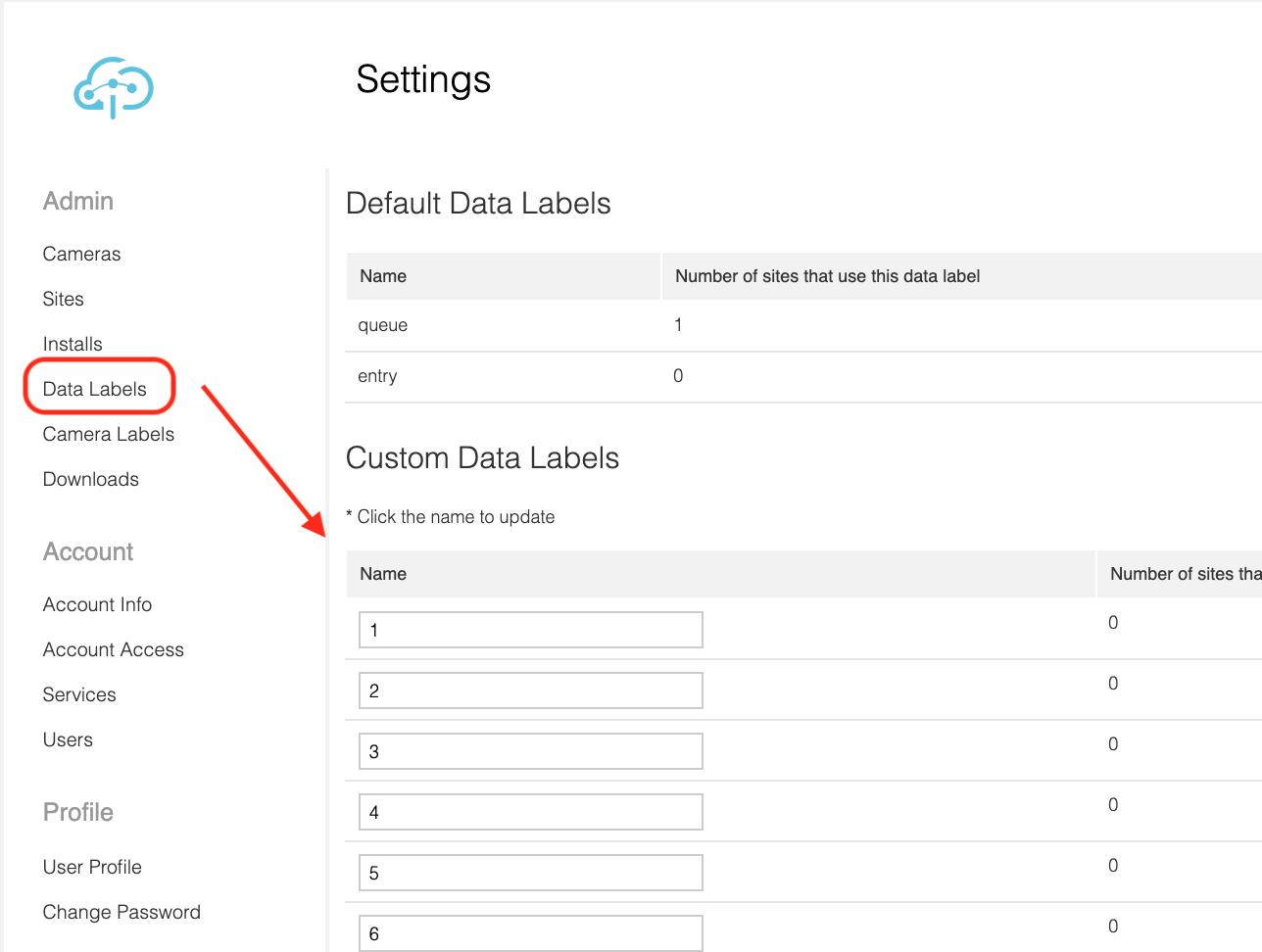
(To create data labels locate the “Data Labels” button in Settings at the bar in the far left. When clicked, you will be given the option to create the labels to be used with any camera.)
AOI Settings: How do I draw AOI?
To draw AOI simply click the camera’s view on the screen and create the desired shape. When finished double-click the last point on the screen.
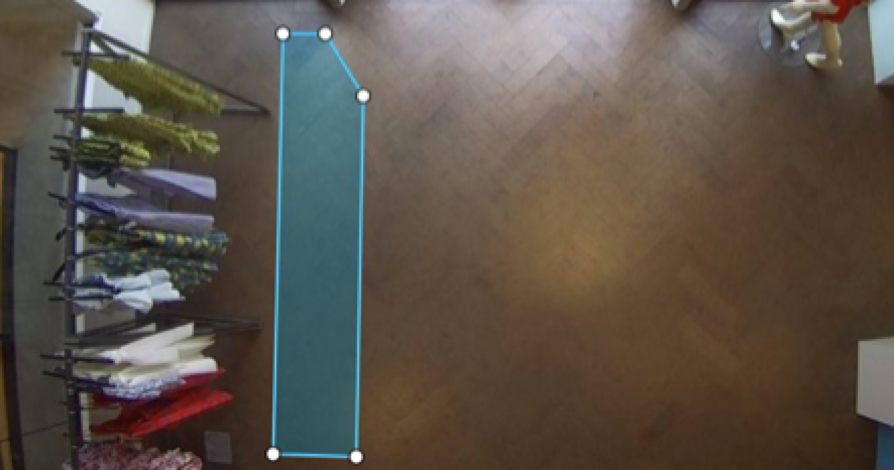
EXAMPLES OF CORRECT AND INCORRECT AOI SET-UP
Example 1
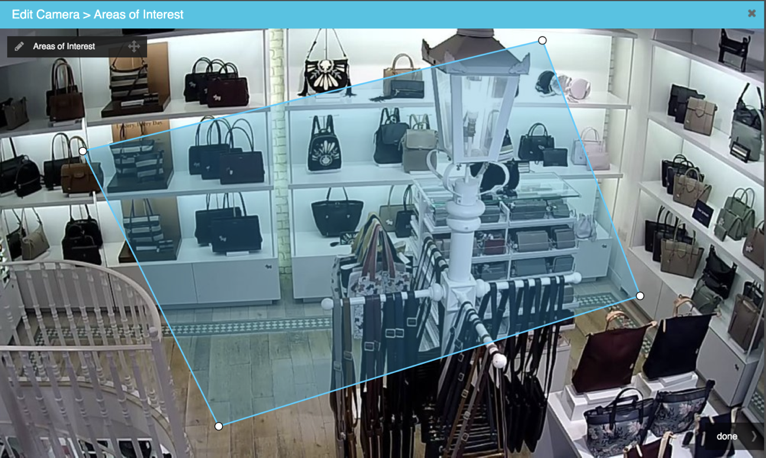
INCORRECT
Interference by objects such as clothing racks or hangers, can block the counting of people and will deter the camera from accurate results.
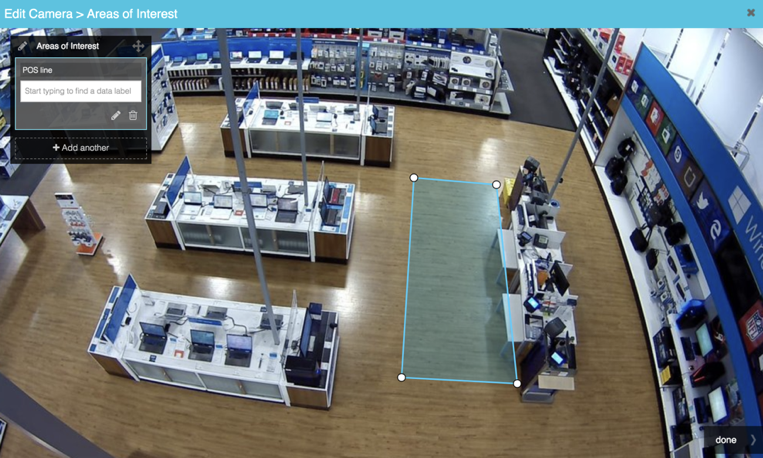
CORRECT
Here is an image of an AOI drawn in a location where there is no blockage from any structure.
Example 2
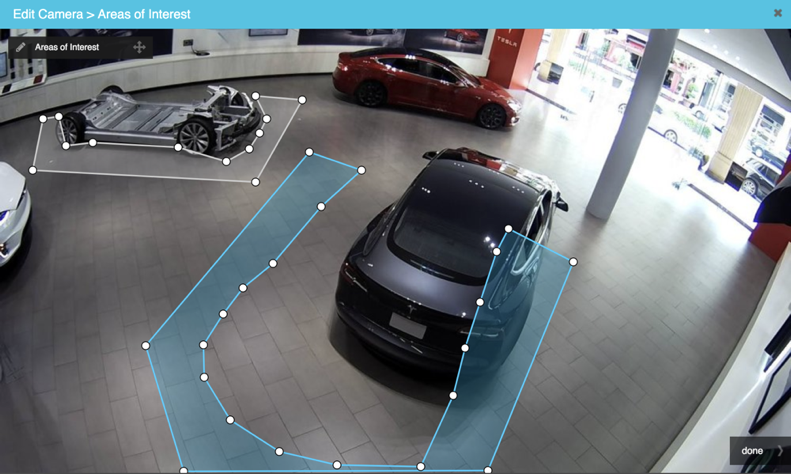
INCORRECT
Sculpting AOIs around certain subjects may lead to inaccuracy if subjects are likely to be moved around. In the case that they do move positions, AOIs must be redrawn for full accuracy.
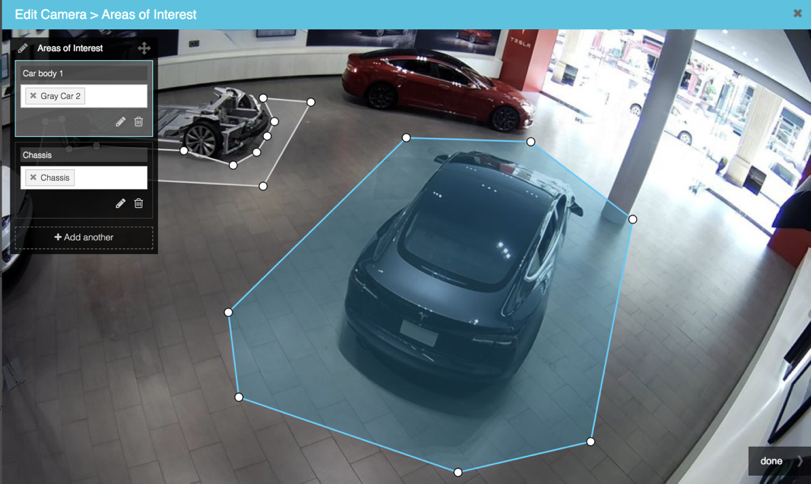
CORRECT
Here is an image of an AOI drawn in a location where there is no blockage from any structure.
Example 3
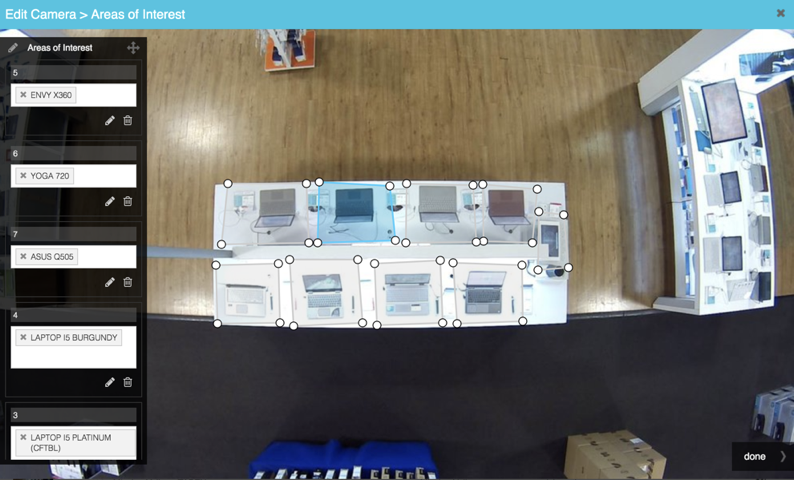
INCORRECT
AOIs are programmed to count foot traffic, therefore it is mandatory that an AOI is drawn where customers will be walking.
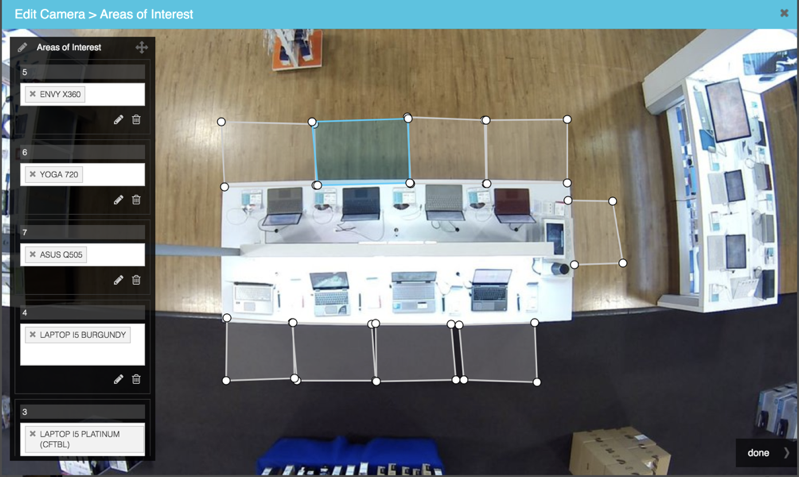
CORRECT
Here is an image where the AOIs are drawn correctly for the most accurate results. Each AOI is drawn where foot traffic can be counted.
Example 4
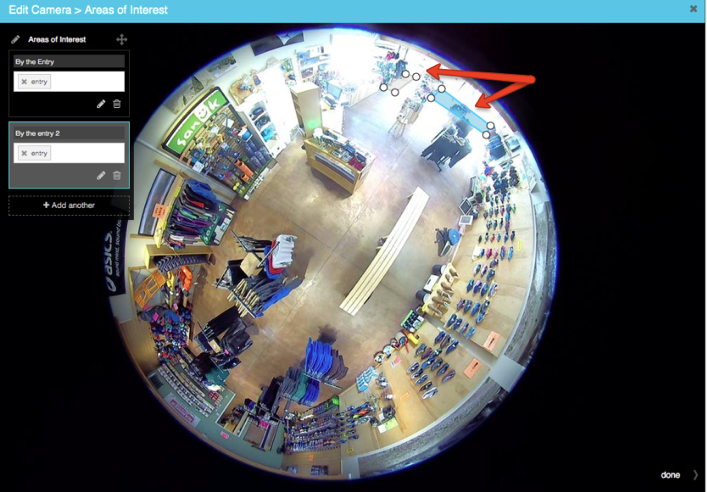
INCORRECT
If the camera displays fisheye perspective it is important to create an AOI in the center of the camera’s field of view for the most accurate results. If an AOI is drawn closer to the perimeter of the circle than there is a higher chance of miscounting.
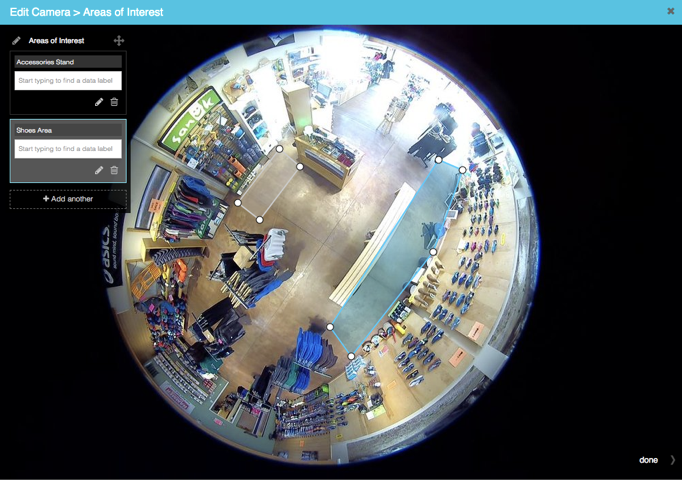
CORRECT
AOI will be most accurate for a fisheye camera when it is drawn closer to the center of the cameras field of view.
Comments
0 comments
Please sign in to leave a comment.