
In order to format SD card, you should do the next steps:
- Connect to the camera by inserting the camera's IP address into a browser and log in.
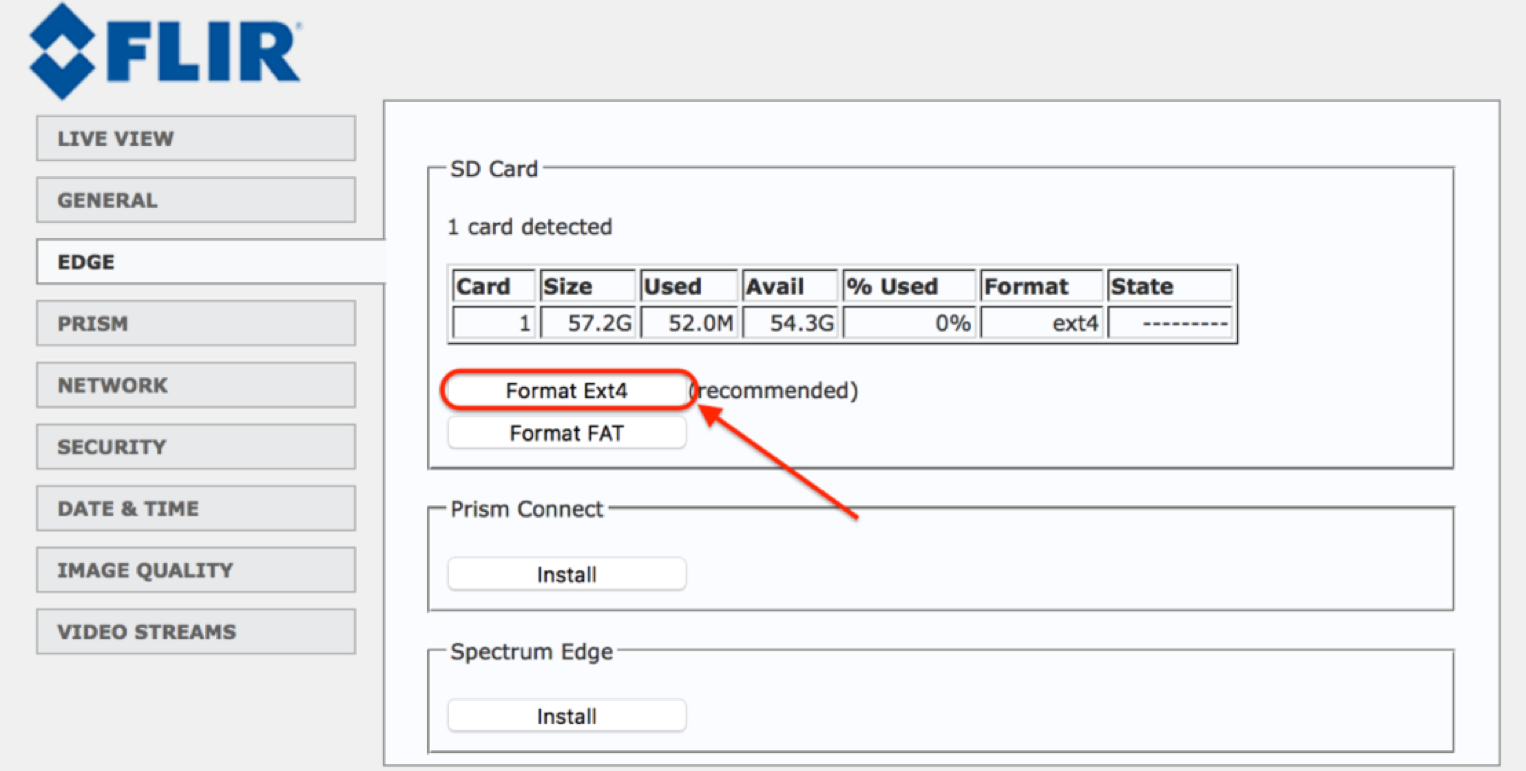
- Click on the "Edge" tab on the left side.
- Click on the "Format SD" button.
- This will take you to a loading screen. You will see that the card is being formatted and then, after a couple of minutes it should be done.
Please wait until the formatting process is done and then reboot the camera.
Comments
0 comments
Article is closed for comments.