
By default, the camera is configured as below:
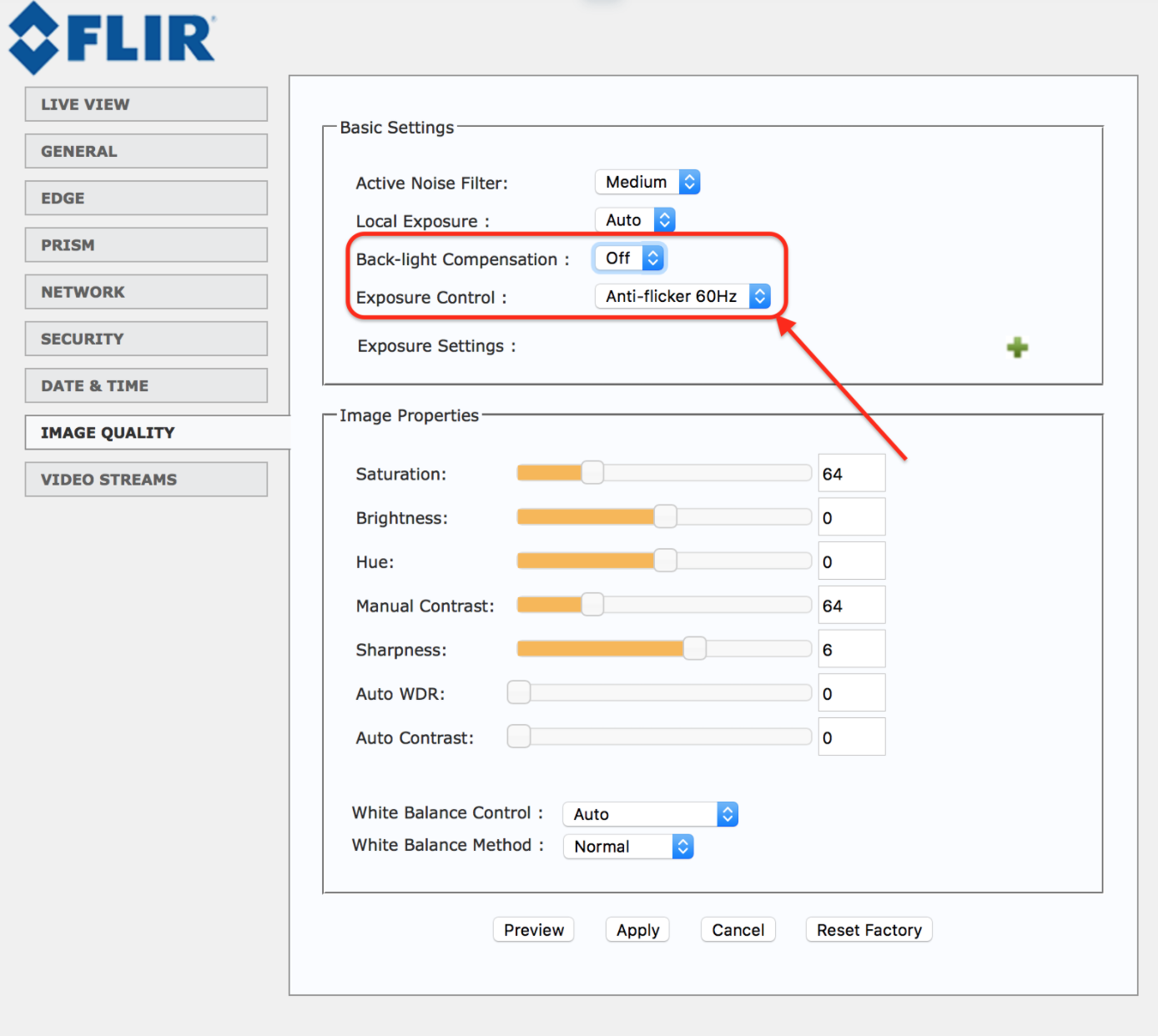
There are two parameters that need to be changed:
The first one is Back-light Compensation has to be set to “ON”.
This step is needed to compensate for backlight by enhancing automatic exposure control on the camera. Sometimes due to a high illumination backwards persons can't be seen clearly so they won't by counted by Prism application. After changinging this setting the issue should be resolved.
The second one is Exposure Control. Exposure time is controlled in a camera by shutter speed, and the illuminance depends on the lens aperture and the scene luminance. This is needed to provide a proper quality images. A value of this parameter depends on a country's power frequency.
For example, it must be 60 Hz for the USA and 50 Hz for the United Kingdom.
Here you can find Useful Information
On the picture, the parameter Exposure Control has been set at “Anti-flicker 50Hz”
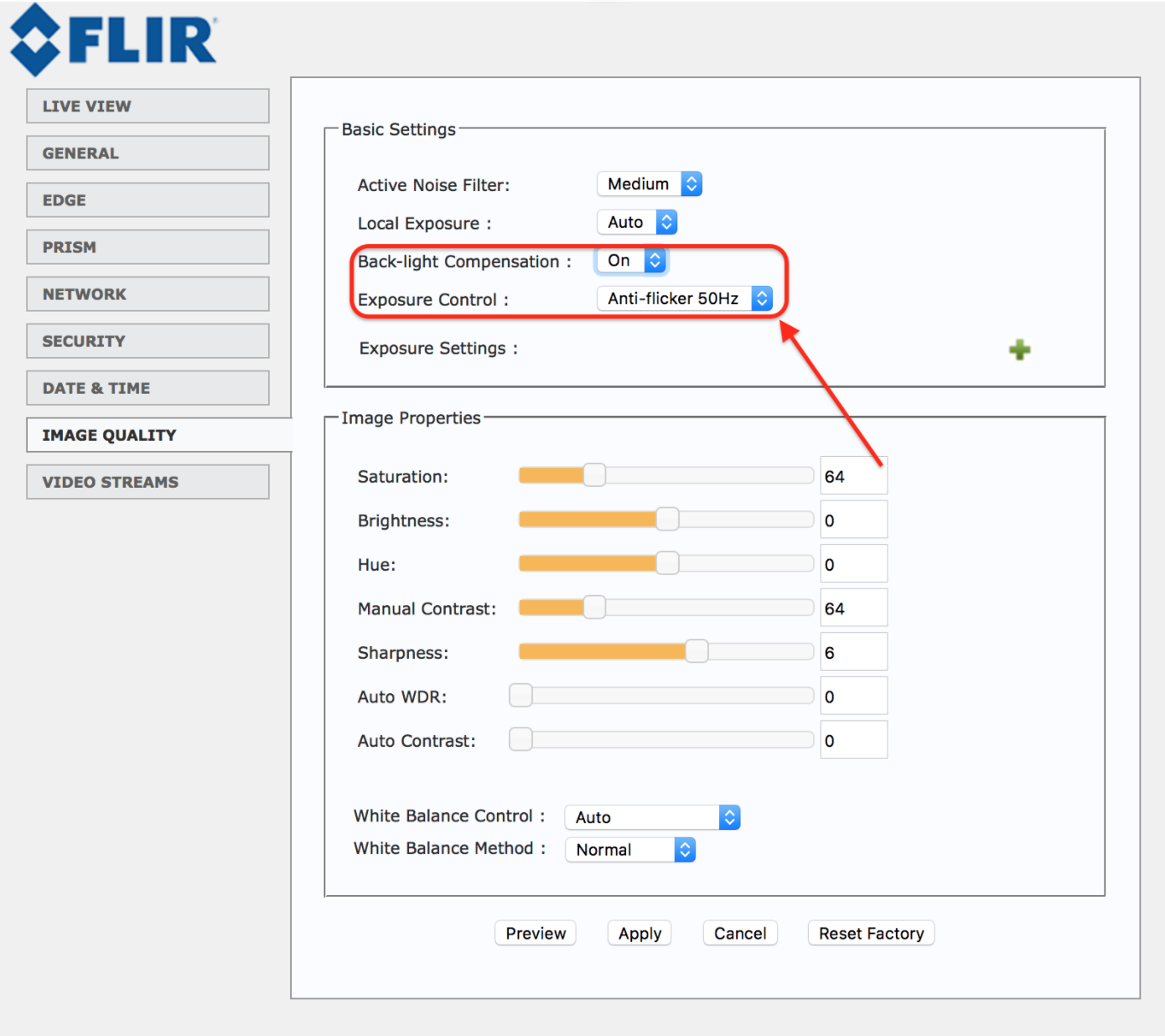
After changing both or one of the parameters, click on “Apply."
Comments
0 comments
Please sign in to leave a comment.