
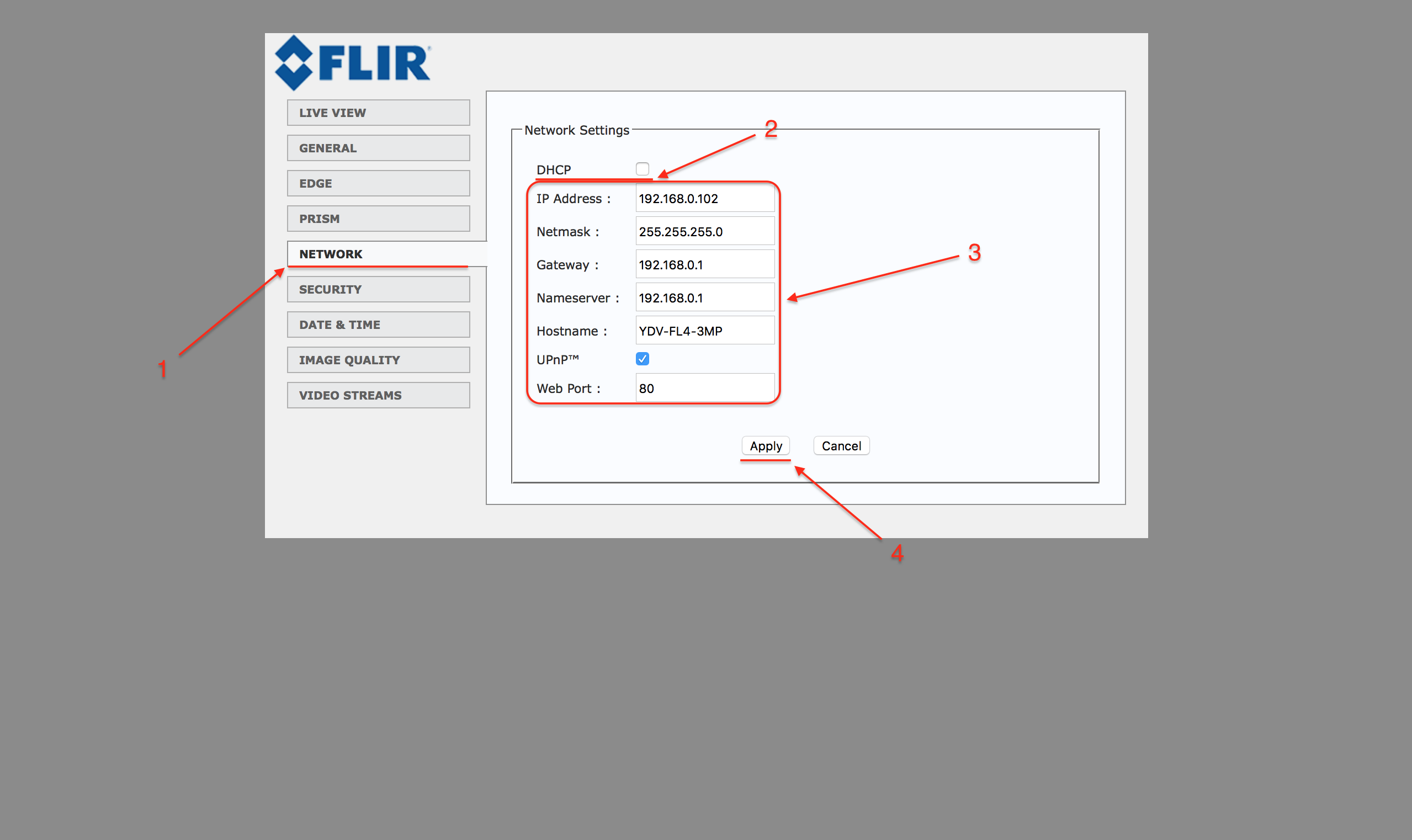
FLIR cameras have DHCP enabled by default. However, a static IP address can be assigned as well:
- Go to the "Network" tab in the left-hand navigation of the web interface
- Deactivate DHCP by unchecking the "DHCP" box
- Configure network settings as necessary
- Select "Apply" to save these changes
Comments
0 comments
Please sign in to leave a comment.