
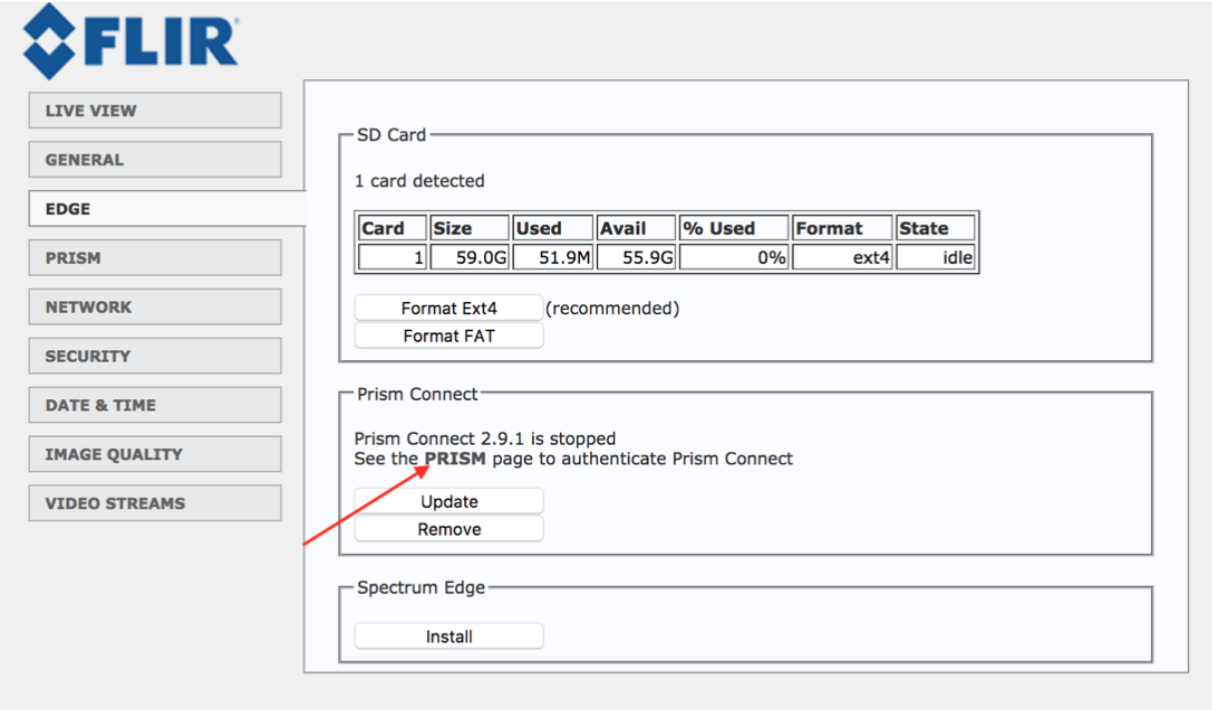
When Prism Connect is installed, you will see the message, “See the PRISM page to Authenticate Prism Connect.”
Click on this link:
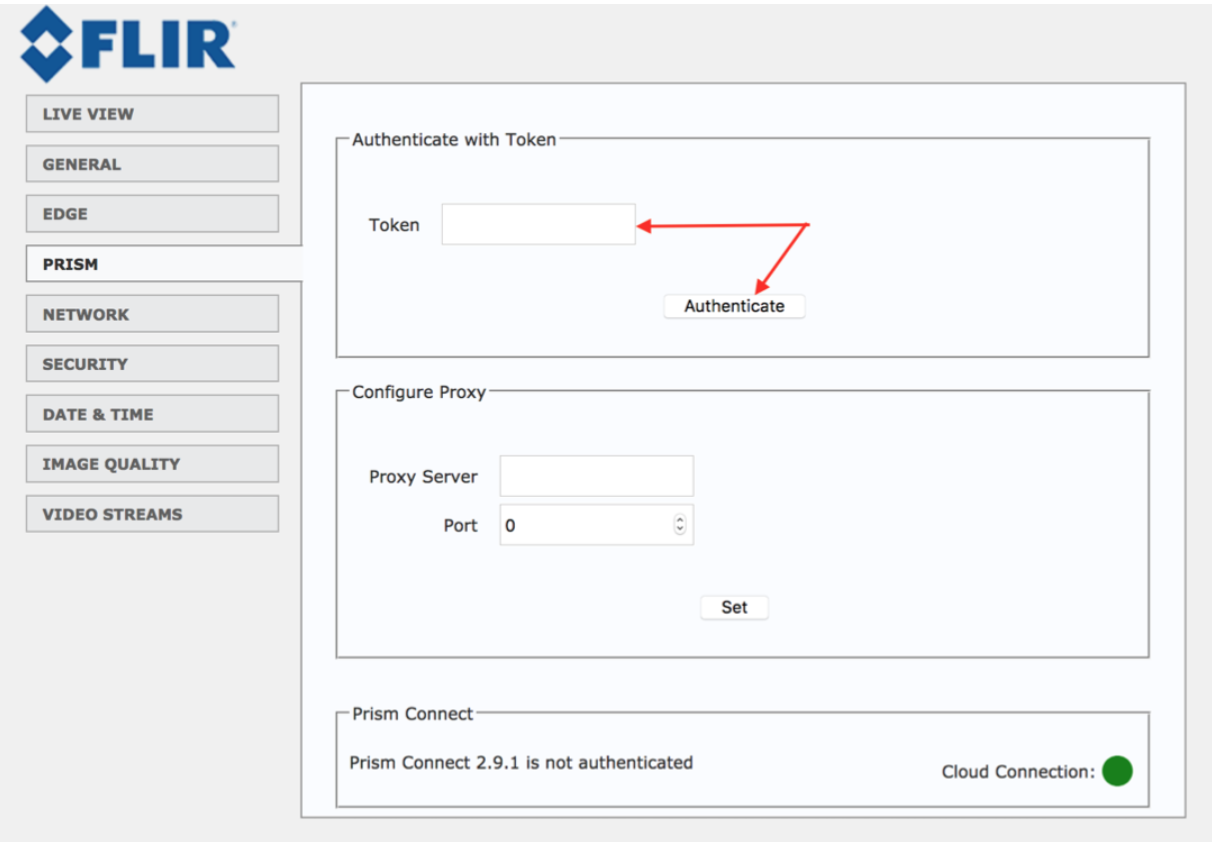
Enter the token to Authenticate Prism Connect. If you didn’t receive a token yet, please contact Prism’s Help Center.
When you’ve successfully authenticated Prism, the software will start automatically and start sending data to the cloud.
At this moment, the camera is ready to be used.
Comments
0 comments
Please sign in to leave a comment.